Create supplier request
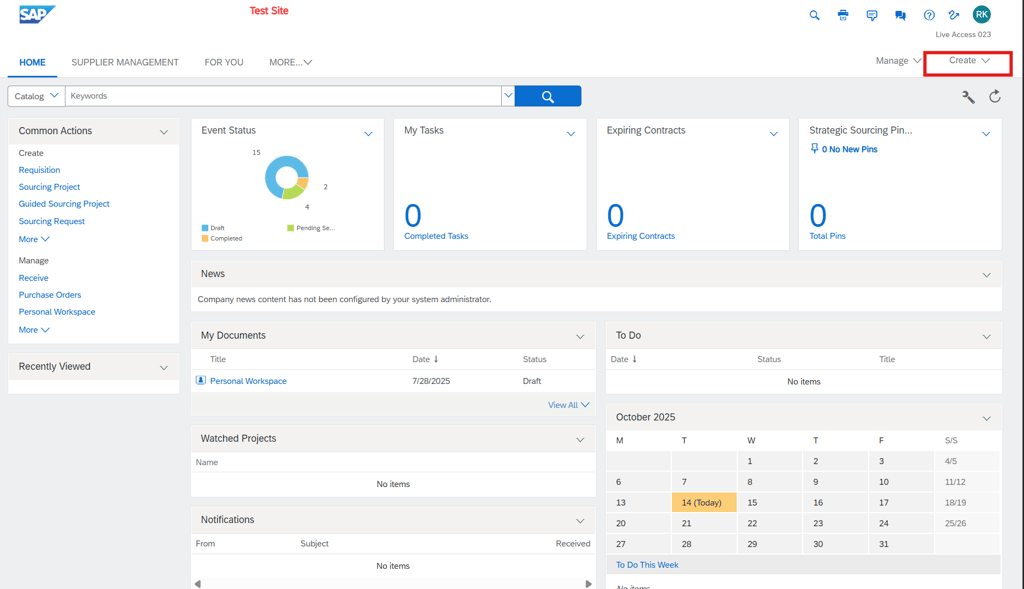
From Home, select Create → Supplier Request and enter basic organization and contact details to initiate onboarding.
Submit request for approval
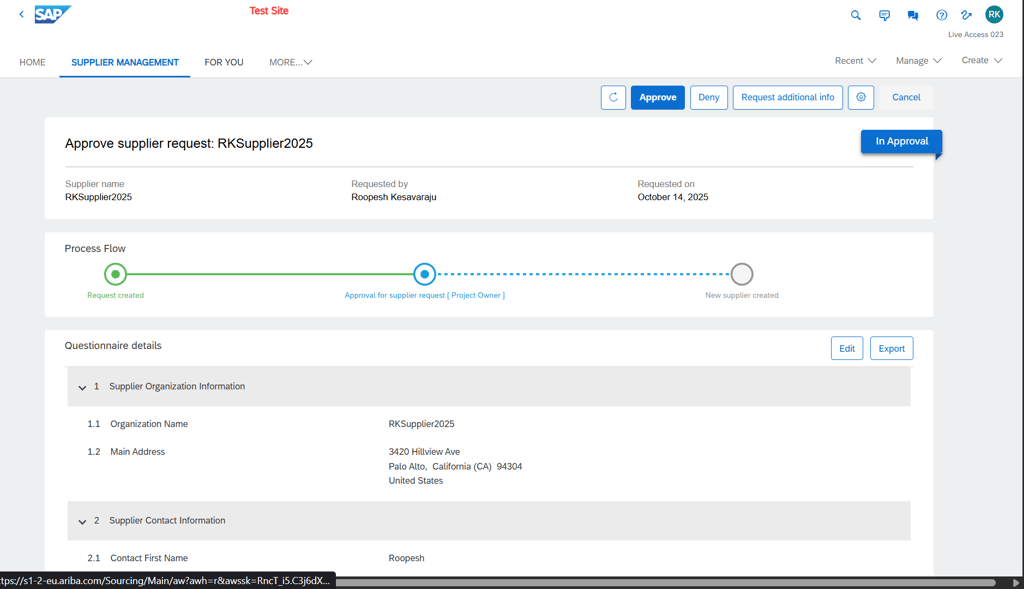
The request shows a process flow with “Request created” and routes to the Project Owner for approval.
Send registration invite
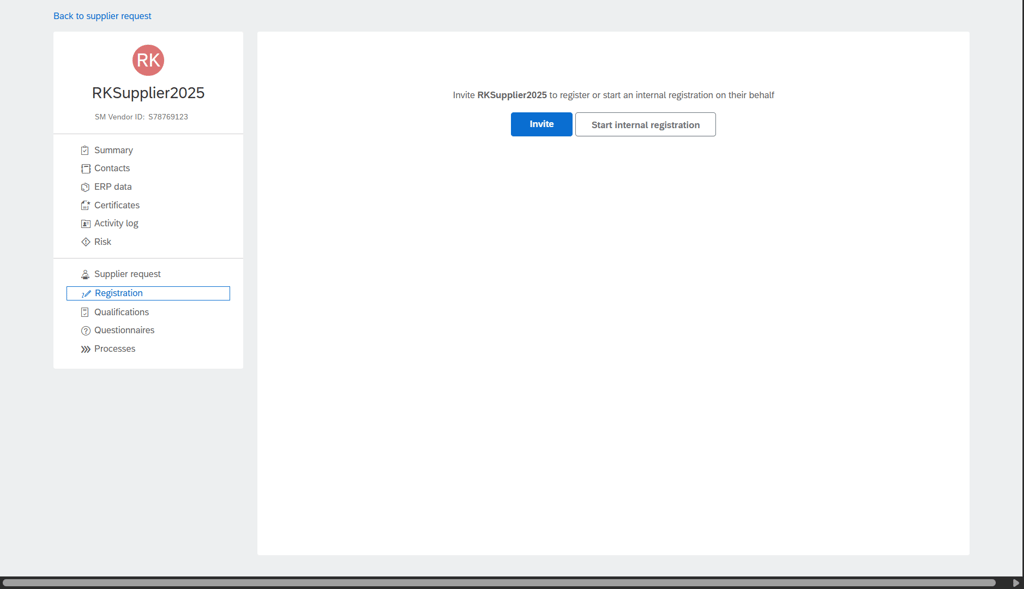
Open the supplier record → Registration, choose the “Supplier registration questionnaire,” select the recipient, and click Send to invite the supplier.
Supplier completes questionnaire
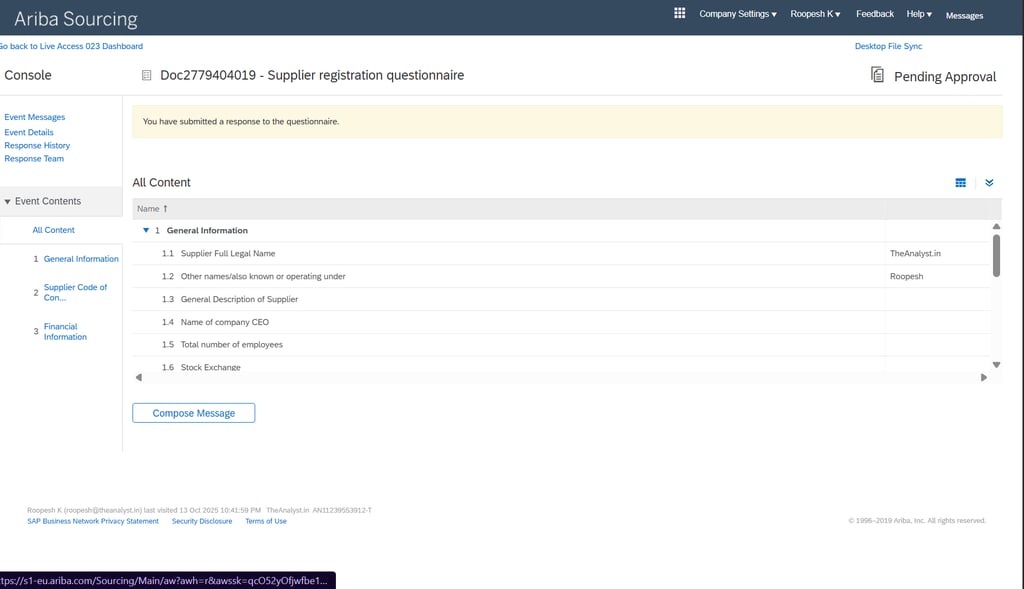
The supplier receives an email invite with a link to register, creates/signs in to Ariba Network, and fills the registration questionnaire.
Review and approve registration
Back in Supplier Management, monitor Registration → Tasks; approve “Approval for new supplier registration” when responses are satisfactory.
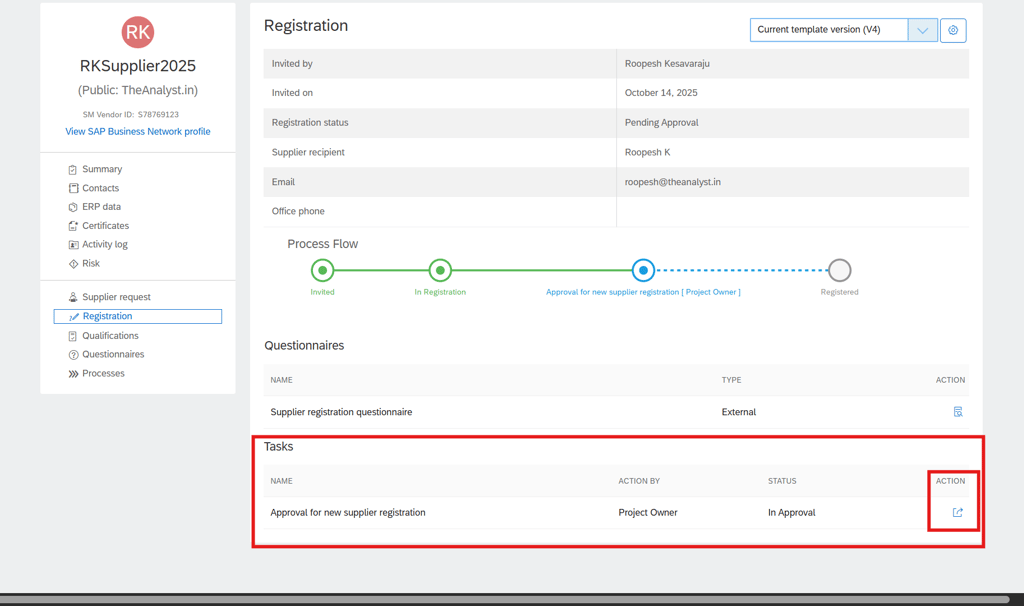
Create supplier in system
After approval, the process flow completes with “New supplier created,” and the request shows Approved status.
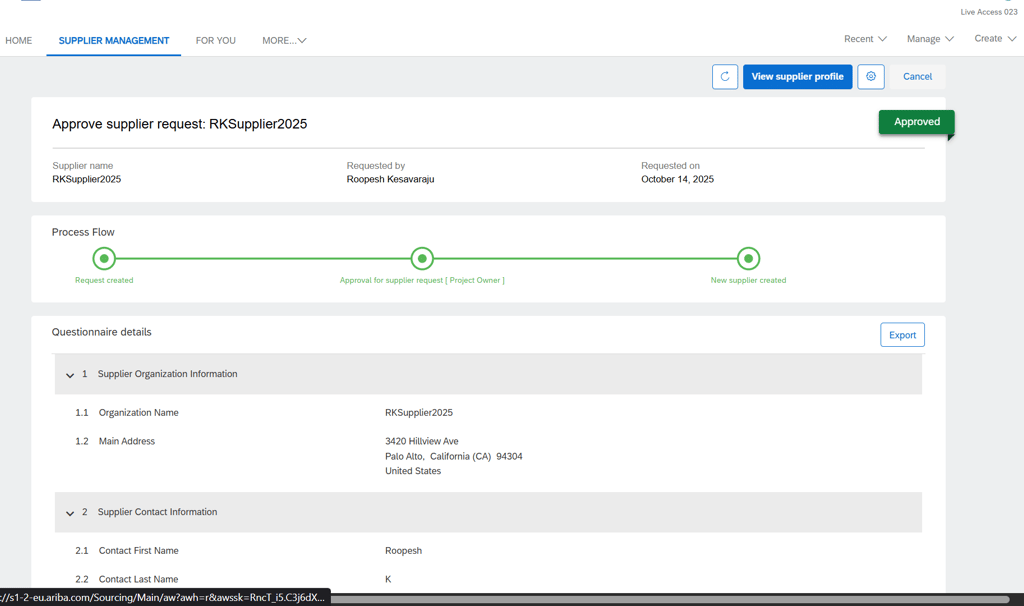
Verify supplier profile
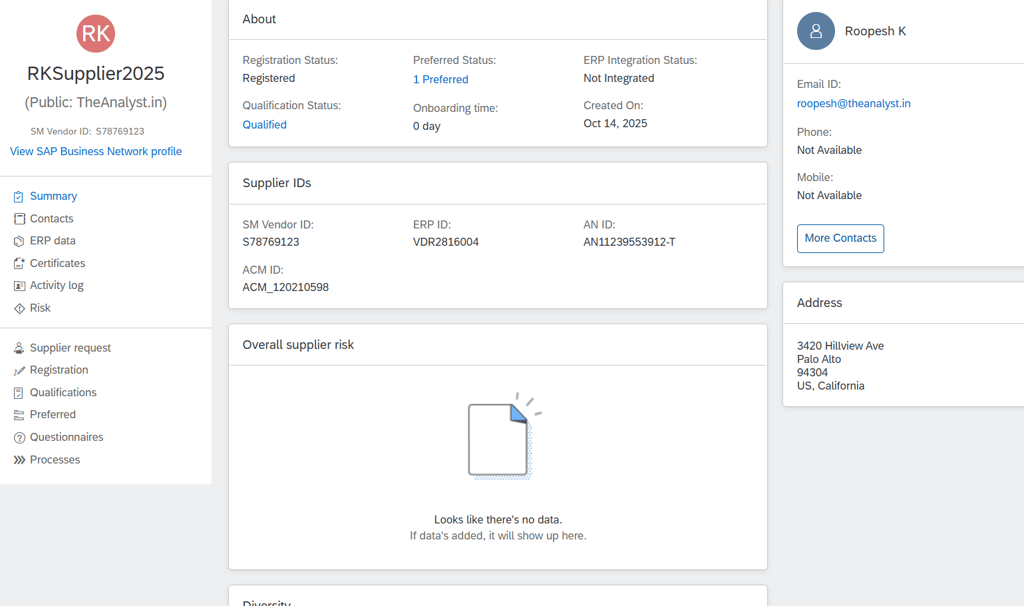
Open the supplier profile to confirm IDs, address, and statuses (Registration, Qualification, ERP Integration as applicable).
In conclusion, streamlining supplier onboarding in SAP Ariba delivers quick wins: fewer manual touches, faster cycle times, cleaner data, and tighter compliance, which together translate into measurable savings and a smoother path from “Invite” to “Approved.”